We don’t sell your data.
Your personal information isn’t sold to data brokers, advertisers, or marketers.
Customize your Memory AI agent to help you remember, focus, and follow through on what matters.
Free · Works Offline · No Account Required · Privacy by Design →
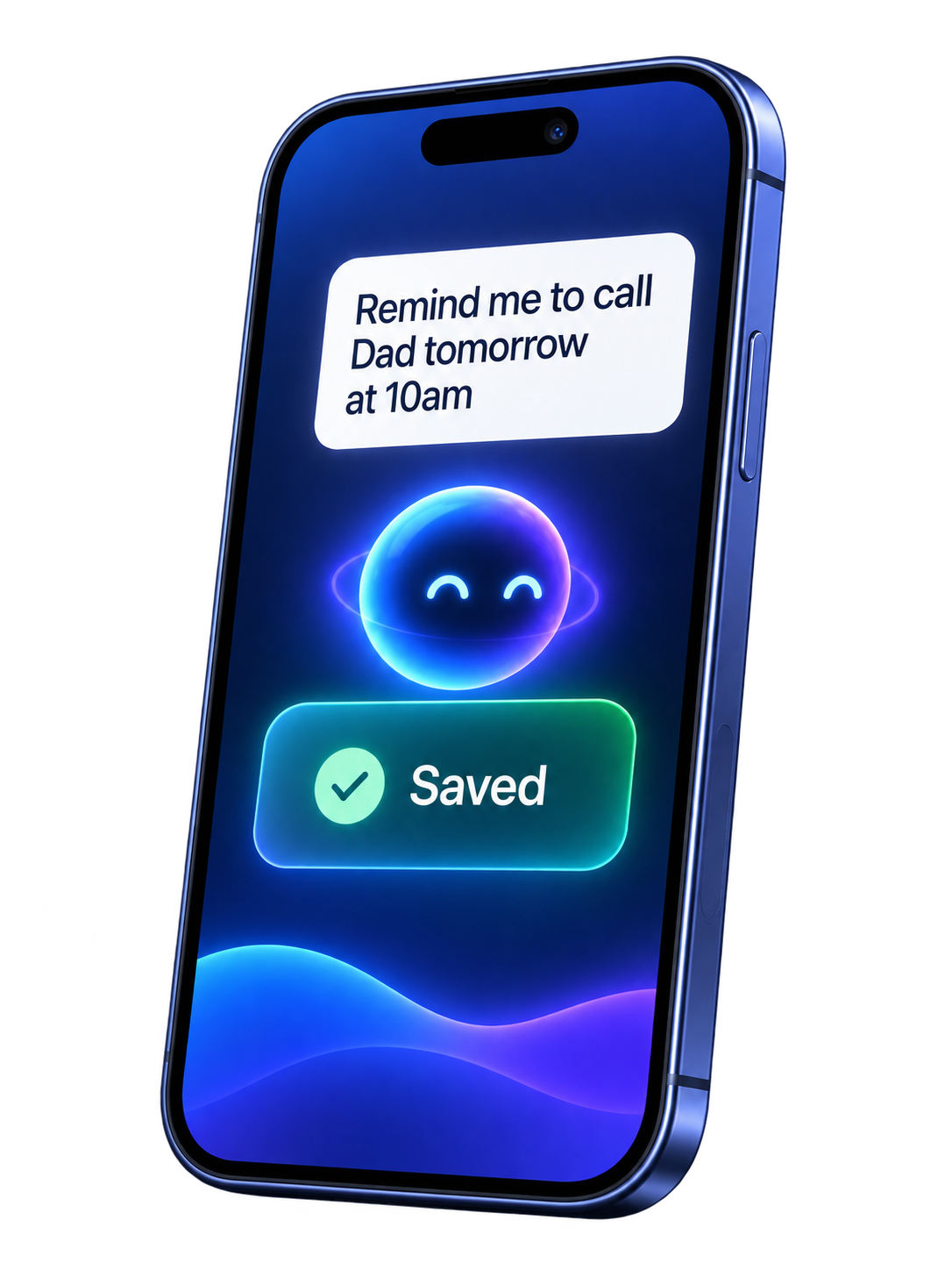
It notices. It suggests. You decide.
Your privacy
Your Memory AI Agent needs context to help you—but that doesn’t mean giving up control. We designed iForgetalot so you can see what it knows, understand how your information is used, and decide what stays connected.
Your personal information isn’t sold to data brokers, advertisers, or marketers.
Your emails, reminders, routines, and activity aren’t used to target you with ads.
See what’s connected, control what your agent can access, disconnect sources, and delete your data.
An actual view of the controls available in your Data Privacy Dashboard.
where you can see how your data is used, where it is stored, and how it is protected.
It connects the context you choose to share, notices what may need attention, and turns that context into useful suggestions you can approve, change, or dismiss.
Gathers the context you choose to share and spots what needs attention.
Brings together reminders, tasks, notes, calendar events, email, messages, and connected apps so related details do not stay scattered.
Spots approaching commitments, open loops, missing details, repeated patterns, and tasks that may be getting stuck before they become problems.
Snap a receipt or invoice and it pulls out the vendor, total, date, and line items. Browse them in one place, mark what is filed, and export what you need for expenses or taxes.
Gets you ready for what is coming and proposes the next move.
Surfaces relevant notes, messages, tasks, destinations, and timing before meetings, appointments, trips, deadlines, and important events.
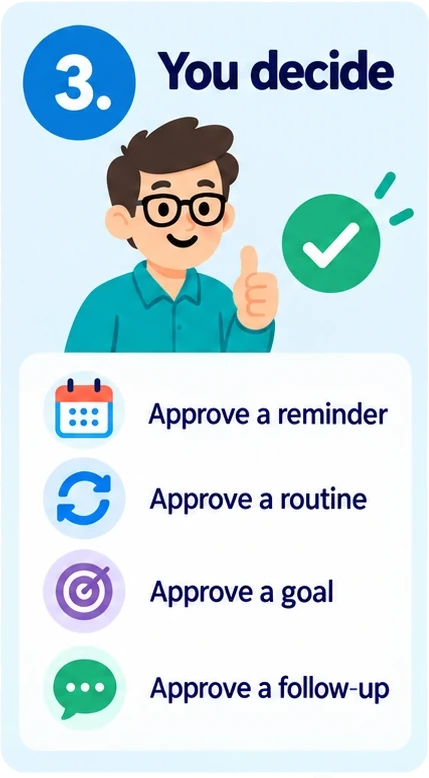
Can propose a reminder, routine, goal, follow-up, task breakdown, or priority when it sees a practical way to move something forward.
Makes sure it happens, for you and for the people it depends on.
For important commitments, it can recommend acknowledgement, text, phone, location, or leave-by follow-up instead of relying on one easy-to-miss alert.
Choose Remind Others, pick a contact, and your agent writes the text. It opens in your Messages app for you to send, signed “John’s memory AI agent, Sarah, says …”, with a link that adds it to their reminders. You can see whether it was sent, opened, or added.
Give your agent a goal and a budget, and it will draft a shopping list for you to approve. Once you approve it, your agent will buy the items for you. You set the rules: which stores it can buy from, what it can buy, and how much it can spend. It will stay within your budget, and nothing is bought until you have approved the list.
Sets up meetings and hand-offs with other people, and soon with their AI agents.
Connect Gmail or Outlook and your agent reads the mail you choose to scan, using rules you set, and suggests reminders from the action items it finds. On a reminder that came from an email, ask it to reply once, or until something happens, such as “they confirm a date”. It writes in your voice from your directions and replies on that thread. You tap Send, unless you choose Agent sends for that thread.
Send someone an invitation by email with a time that suits you, or a few to choose from. They can accept, decline, or suggest another time, and you are told. When you hand your agent a meeting email, it checks your calendar and drafts a reply naming the times you are free, and you can have it keep replying on that thread until they confirm a date. Nothing is sent until you approve it, so the final say is yours.
Their assistants, such as a coach’s scheduling bot or a clinic’s booking agent, will be able to send and answer requests with yours: reminders and meeting requests. For a meeting, each agent checks its own calendar, sharing only free or busy and never event titles, and they keep trading times until one works for both. Yours can only propose. Nothing goes on your calendar until you approve it.
Your agent can notice, explain, and propose. Nothing is saved, sent, or changed without your approval. The one standing permission is email: you can let it send replies on a thread you choose.
You shape how it watches, filters, replies, and follows up. Set a name and personality, then teach it with rules and examples. It proposes; you approve.
Give your Memory AI agent a name and a personality — warm, direct, polished, or persistent — so every reminder, reply, and text sounds like the help you want.
Connect Gmail or Outlook and write scan rules: which mail to watch, which senders or subjects to ignore, and how important a match should be. Nothing becomes a reminder until you accept it.
On a thread you care about, tell it to reply once or until something happens. Turn on back-up texts and calls for important reminders. Invite someone to a meeting with times that work for you.
Things people actually set up. You write the rule or ask in Coach; your agent follows it within the permissions you gave.
noreply@ or receipts@, and skip subjects with “unsubscribe,” “newsletter,” or “sale.” Keep school, invoice, and “due” mail visible.
Training sets preferences and rules. It does not give your agent blanket permission to send, spend, or change your board.
These are the data sources behind everything above. Connect the places your commitments already live, so your Memory AI agent can notice what matters without you retyping it. Every connection is optional.
You choose what to share, and nothing is saved without your approval. Coming soon means planned, with no release date yet.
More than a reminder app. Your Memory AI agent keeps context across your life, notices what may need attention, and helps move things forward. It can read the signals around you, suggest the next useful action, and coordinate with people when something needs follow-through, and soon with their AI agents too.
When something needs confirmation, a handoff, a follow-up, or a decision, your agent can help coordinate it instead of leaving you to chase everyone manually.
Send reminders, meeting invites, updates, and context so people — and eventually their agents — know what needs to happen next.
Your Memory AI agent notices what may matter next and suggests ways to help.
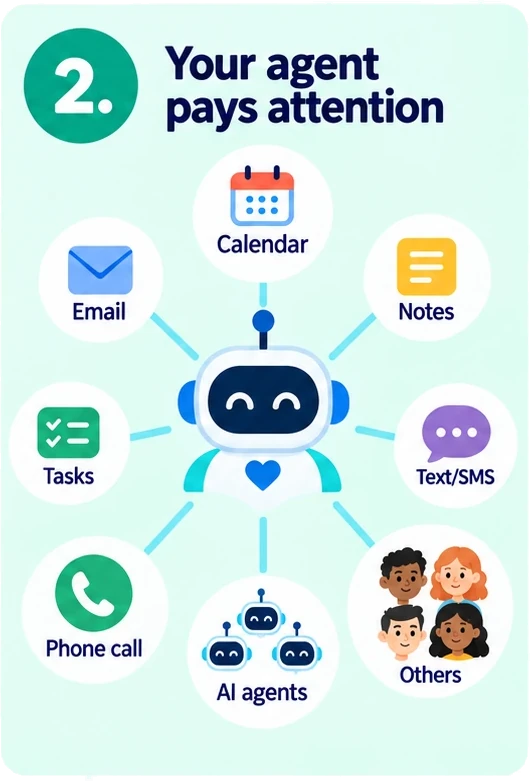
Looks across your calendar, email, notes, tasks, and connected apps for things you may need to remember.
Can remind you to follow up, prepare, leave earlier, ask someone, or create a reminder.
Before a meeting, trip, appointment, or deadline, it can bring up useful notes, emails, tasks, and details.
For important reminders, it can send a text or call if a normal notification isn’t enough.
Uses destinations, travel time, and traffic to help remind you when to leave.
A small task may need one reminder. Something important can get stronger follow-up.
Whether it is a reminder, task, routine, goal, study plan, coaching tip, email follow-up, or meeting, your Memory AI agent uses the same four steps.
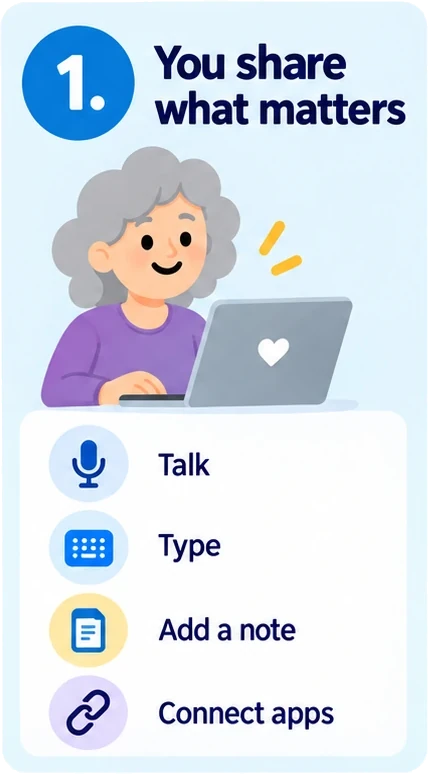
Talk, type, add a photo or document, or connect the calendar, email, notes, and apps you choose.
Your agent links people, dates, places, priorities, tasks, reminders, routines, goals, and related details.
See a clear next step—what to remember, prepare, prioritize, learn, send, or schedule—then approve, change, or dismiss it.
After you approve, it can help with reminders, coaching, leave-time help, progress check-ins, drafts, and coordination when you need it.
Your agent proposes. You decide what is saved, sent, scheduled, or changed.
Extras that come along with your memory AI agent. Use the ones that fit how you work, and ignore the rest.
Drag tasks through Triage, Today, Doing, Done. See your whole life at a glance.
Watches your context, remembers what matters, suggests next steps, and helps coordinate follow-through across your tasks, reminders, calendar, email, notes, and connected apps.
Pin a place on a reminder. Open Maps with real-time traffic so leave-by timing gets you there on time.
Say how much it matters — from a simple nudge to “make sure I don’t miss it.” Snooze with one tap. Quiet hours respect your sleep.
Snap a receipt, whiteboard, or document. AI reads it and creates the right task.
AI generates syllabi, reading material, and graded quizzes for any learning goal.
Earn badges for completing structured learning challenges. Track your streak.
Three ways to get accountability. Built so anyone can use AI — none of them required.
Your Memory AI agent. It watches the context you choose to share, surfaces what may matter next, and helps you prepare and follow through — without waiting for the perfect prompt.
Hire a verified teacher, tutor, mentor, or consultant from our Learning Marketplace for 1:1 help. Browse programs, pay securely, get coaching that sticks.
Free. Invite anyone you trust to be your accountability partner. Encrypted private chat; shared goals only if you opt in. Your board stays private by default.
It notices what repeats, what tends to get delayed, what usually needs preparation, and what often depends on something else. From those patterns, it can suggest routines, reminders, follow-ups, or next actions that make life run more smoothly.
Your Memory AI agent looks across what you capture and flags repeating patterns you might overlook — so building better habits starts from how you already live.
Approve a suggested routine and it becomes a reminder with the right timing and importance — not another list you have to maintain by hand.
Scattered reminders, voice notes, and saved memories get grouped so related pieces stay together instead of vanishing into a pile.
When a cluster of reminders or notes points at something bigger, your agent helps organize them into a goal — with steps you can actually finish.
Before an appointment, meeting, trip, deadline, or event, your agent can surface related notes, emails, tasks, and reminders so you’re better prepared.
When something depends on another person, your agent can help send the reminder, request confirmation, and hand off context. Coordinating with their AI agent is coming soon.
It doesn’t just store what you tell it. It helps notice what may matter next.
You have a meeting tomorrow. Want me to pull together the notes and open follow-ups?
This task has been sitting in Doing for three days. Should I suggest the next step?
You mentioned buying a gift two weeks ago, and the birthday is next weekend. Want a reminder?
Traffic is heavier than usual. You may want to leave 15 minutes earlier.
This email looks like it needs a response before Friday. Add it to your board?
Alex hasn’t acknowledged the reminder yet. Want me to follow up?
Your calendar shows a dentist appointment tomorrow morning. Want me to remind you tonight to bring your insurance card?
This project has three open items assigned to different people. Want me to coordinate status?
Compare the complete follow-through system—not only task lists. Features marked Beta are available now and still being refined.
Swipe horizontally to compare every product.
| Feature | iForgetalot | Todoist | Notion | TickTick | Apple Reminders |
|---|---|---|---|---|---|
| Memory AI agent | |||||
| Proactive next-step suggestions | ✓ | Assist | Paid agent | Limited AI | Suggested reminders |
| Cross-app context awareness | ✓ | Calendar + email capture | Paid connectors | Calendar + email capture | On-device content |
| Conversational AI coach | ✓ | Task Assist | Notion Agent | Limited AI | — |
| Preparation before events | ✓ | — | Paid agent | — | — |
| Morning brief & evening recap | ✓ | Daily digest | Agent automation | Daily reminder | — |
| Memory across reminders, notes, email & calendar | ✓ | Partial | Paid connectors | Partial | Partial |
| Agent-to-agent coordination | Coming soon | — | Internal agent handoffs | — | — |
| Agent communication & follow-through | |||||
| Send a reminder to another person by SMS | ✓ | — | — | — | Shared lists |
| Automatic SMS reminder escalation | Pro & Plus | — | — | — | — |
| Automatic voice-call reminder escalation | Pro & Plus | — | — | — | — |
| Acknowledgement & follow-up tracking | ✓ | — | Automations | Constant reminder | Shared-list activity |
| Importance-based reminder protection | ✓ | Priority + reminders | Basic | Constant reminder | Priority + early reminder |
| Location & leave-time reminders | ✓ | — | — | Location (iOS) | Location |
| Email intelligence | |||||
| Search connected Gmail & Outlook | Beta | — | Paid agent | — | — |
| Find action items and suggest reminders | Beta | Forwarded email (paid) | Paid agent | Email capture | Suggested reminders |
| Reply on the original email thread | Beta | — | Paid agent | — | — |
| Schedule meetings by email | Beta | — | Paid agent | — | — |
| Scan rules, sender filters & ignore rules | Beta | Filter Assist | Paid cleanup agent | Smart filters | Mail rules outside app |
| Capture & organization | |||||
| Kanban board | ✓ | ✓ | ✓ | ✓ | Columns |
| Voice capture | ✓ | ✓ | — | ✓ | ✓ |
| Photo & document task extraction | ✓ | Beta | AI file analysis | Attachments | Suggested reminders |
| Receipt OCR, tracker & export | Beta | — | Build manually | — | — |
| Routines, habits & goals | ✓ | Goals | Templates | Habits + goals | Recurring lists |
| Study plans, lessons & quizzes | ✓ | — | Build manually | — | — |
| Human accountability & coaching marketplace | Beta | — | — | — | — |
| Integrations & platform | |||||
| Gmail & Outlook integration | Beta | Email capture | Paid connectors | Email capture | Share sheet |
| Calendar integration | ✓ | ✓ | ✓ | ✓ | Native |
| Project & coding integrations | Jira beta; GitHub soon | 90+ integrations | Jira, GitHub + more (paid) | Limited | Shortcuts |
| Messaging integrations | Coming soon | Third-party | Slack + Teams (paid) | Third-party | Share sheet |
| CRM integrations | Coming soon | Third-party | Databases + connectors | Third-party | — |
| Works offline-first | ✓ | Limited | Limited | ✓ | ✓ |
| On-device AI option | ✓ | — | — | — | Apple Intelligence |
| Free plan | ✓ | ✓ | ✓ | ✓ | ✓ |
| Paid individual plan | Pro $8.99 · Plus $18.99 | Pro $5/mo billed yearly | Plus $10/mo; AI Business $20/mo | Premium $49.99/year | Included with Apple device |
Compared from public product documentation on October 9, 2026. “Paid” may require a higher-tier plan, administrator setup, usage credits, or a separate product. Availability can vary by platform, region, and plan.
The free Basic plan includes 50 cloud AI messages per day. Upgrade, bring your own key, or run a model on your phone.
Completely Free
or $71.99 / year
Join Beta Program
Includes all of beta and more
Access to future features before everyone else
Limited time only.
or $151.99 / year
BYOA, plus your own API bill. Local on-device AI is free.
Get the app, then open Plans to subscribe. Your plan unlocks on iPhone and Android. Prefer the full web flow? Register, subscribe, and pay on /subscribe/.
Every plan includes unlimited Kanban board and Task management, in-app alerts and notifications, unlimited alarm clock, unlimited receipt tracker, and iOS/Android calendar integration. Gmail and Microsoft are in beta. Jira, Slack, Notion, and more are coming soon.
During limited beta, testers can join Free Pro for a limited time and receive Pro-level access plus early feature access.
You don’t need to be forgetful. You just shouldn’t have to keep every detail, dependency, and next step in your head.
Capture a thought while it’s here. Protected reminders add extra assurance when something can’t be missed. Gentle follow-through — not a pile of unread notifications.
Use cases: can’t-miss appointments, follow-through on open loops, quiet hours that respect sleep.
Start from today’s priorities, not a blank list. Pin destinations for leave-by timing, and keep work and life on one board.
Use cases: morning digest, meeting prep, errands with Maps leave-by, Acknowledge follow-ups.
Turn a course into a study plan with reading and quizzes. Deadline reminders stay visible until you’re done — not buried in another app.
Use cases: syllabi, exam prep, graded practice, assignment due dates.
Say or snap what needs doing — pickups, prescriptions, groceries. Text a reminder to someone else when you’re sharing the load.
Use cases: doctor visits, school pickups, shared household reminders, Remind Others by SMS.
No one can remember every little thing. iForgetalot helps you remember the details that make your day easier, more thoughtful, and more personal.
Leave a little earlier when traffic is usually heavy.
Bring the reusable bags before you leave for the store.
Remember which coffee your partner likes before you stop at the café.
Ask your child how their presentation went today.
Remember the gift idea someone mentioned weeks ago.
Remember which parking level you left the car on.
Yes — when using local AI models. The entire app runs on your device with SQLite, and the on-device model handles task management, categorization, and reminders without an internet connection. iForgetalot also doesn't connect to remote email inboxes (Gmail, Microsoft, iCloud Mail, etc.) — your local calendar and local email inboxes can be connected, and both work offline. Switching to the cloud AI tier or bringing your own API key needs internet for those calls; everything else still runs on-device.
No. Your data stays on your phone. We don't have servers that store your tasks. Optional cloud sync (coming soon) is encrypted end-to-end.
The app and the Basic plan are free: 50 cloud AI messages a day, 150 AI Realtime voice conversations a month (up to 25 a day), 5 photo scans, and 1 document scan a day. Optional Pro is $8.99/month or $71.99/year (150 messages a day and 450 AI Realtime voice conversations a month, 15 photo scans, and 5 document scans a day). Plus is $18.99/month or $151.99/year (350 messages a day and 1200 AI Realtime voice conversations a month, 40 photo scans, and 15 document scans a day). During the limited beta, testers receive Pro access at no charge. Bring Your Own AI is $4.99/month with 20 AI voice messages a month and text/photo limited only by your API key; Local on-device AI is free. Plans include iOS/Android calendar integration; Gmail and Microsoft are in beta; Jira, Slack, Notion, and more are coming soon. We never sell your data.
Basic cloud AI stops at 50 successful messages until midnight. Upgrade to Pro ($8.99/month or $71.99/year) for 150/day, Plus ($18.99/month) for 350/day, or switch to Bring Your Own AI (limited to your key’s max) or Local on-device AI.
Basic includes 150 free AI Realtime voice conversations per month (up to 25 per day), Pro includes 450 per month, and Plus includes 1200 per month. One Speak session counts as one conversation, regardless of how many turns it contains. At the monthly limit, the app shows Voice Unavailable until next month. On Basic, hitting the 25/day cap shows: You've reached your daily cap. Voice is unavailable. Use typing instead.
A photo scan is a photo or image the cloud AI reads to suggest a reminder. A document scan is a PDF it reads. Basic includes 5 photo scans and 1 document scan a day, Pro 15 and 5, and Plus 40 and 15. Limits reset every day at midnight UTC; once you reach one, cloud scans pause until it resets, or you can upgrade for a higher limit. Text files you attach are read on your phone and use neither allowance. Bring Your Own AI photo scans are limited only by your API key.
Yes. Choose Remind Others, pick a contact, and your agent writes the reminder. It opens in your phone’s Messages app for you to send, so nothing goes out without you, and it is signed “John’s memory AI agent, Sarah, says …” so they know where it came from. Your text includes a link that adds it to their own reminders, and they do not need the app to get it. You can see whether it was sent, opened, or added. Reminders between other people’s AI agents and yours are coming soon; your agent will only propose, and you approve.
Yes, if you connect Gmail or Outlook. Your agent reads the mail you choose to scan, using rules you set, and suggests reminders from the action items it finds; you accept or dismiss each one. On a reminder that came from an email, you can ask it to reply once, or until something happens, such as they confirm a date. It writes in your voice from your directions and replies on that thread. By default you tap Send; you can instead choose Agent sends for a thread. It replies to existing threads and does not start new emails.
Yes. Send someone an invitation by email with a time that suits you, or a few to choose from, and the person can accept, decline, or suggest another time. You are told what they answer. When you hand your agent a meeting request from your email, it checks your calendar and drafts a reply naming the times you are free, and you can have it keep replying on that thread until they confirm a date. Nothing is sent until you approve it, so the final say is yours. Automatic scheduling between your agent and other people’s AI agents, where each checks its own calendar until a time works for both, is coming soon.
iForgetalot includes a free AI tier powered by Claude. For offline use, a lightweight model runs directly on your phone. You can also bring your own API key for enhanced coaching.
Yes! iForgetalot runs on both iOS and Android. Built with React Native for a native experience on both platforms.
Set a learning goal (like "Learn Algebra") and AI generates a complete curriculum with a syllabus, reading tasks with study guides, and graded quizzes. Pre-built badge challenges save AI tokens — all content is pre-authored.
Yes. One-tap encrypted export of all tasks, goals, and preferences. You can also delete your account and all data at any time.
The limited beta is currently open to users in the United States only. We're onboarding in batches to ensure quality and gather feedback. Beta users get free access to all features including the Pro AI tier. Join now to secure your spot.
Create a free account. Choose a plan when you’re ready. No credit card required to start.
Free to start · Subscribe anytime · Works on iPhone and Android
Beta users
Join the iForgetalot Beta to test new experiences before public release, tell us what works, and help shape what we build next.
Limited spots · Free Pro access during beta · United States only